
The people you love.
A little closer.
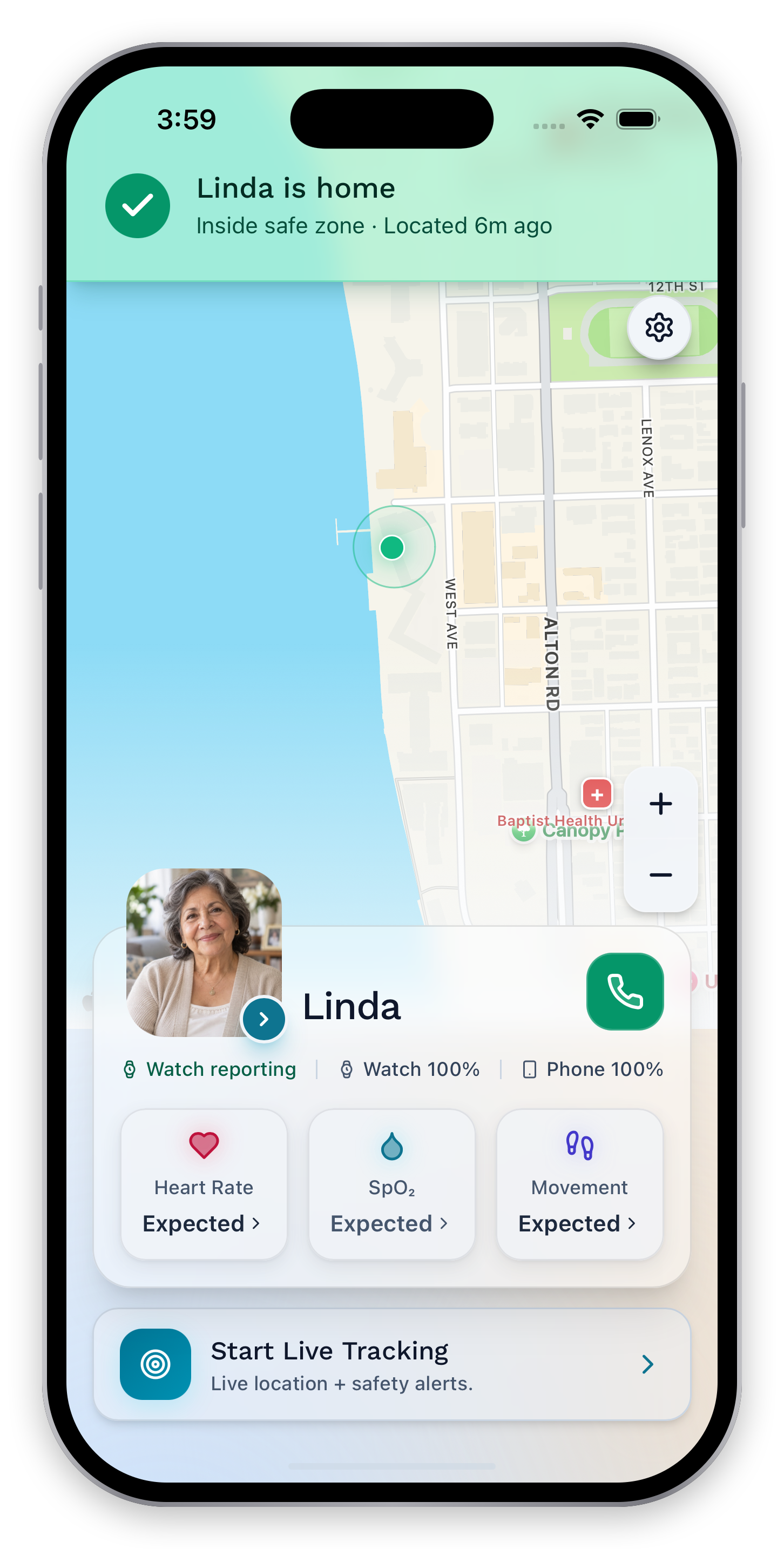
See how your loved one is doing. Help them keep their independence. NearHalo brings shared wellness and location updates to the family members they choose.
See more than
a heartbeat.
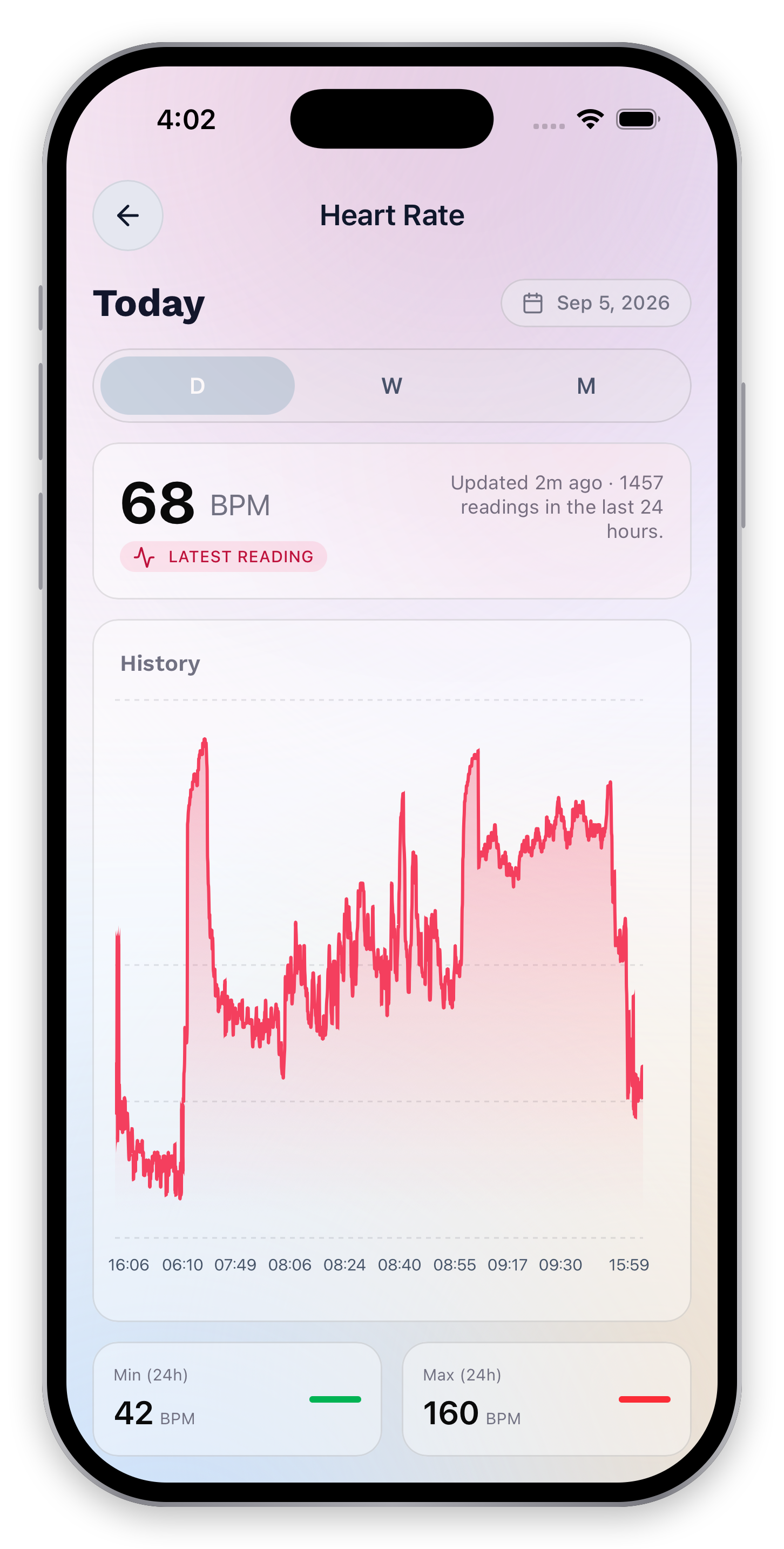
The latest reading, its update time, and the history belong together. Explore the day’s changes and the minimum and maximum along the way.
The reading.
The range.
The recent trend.
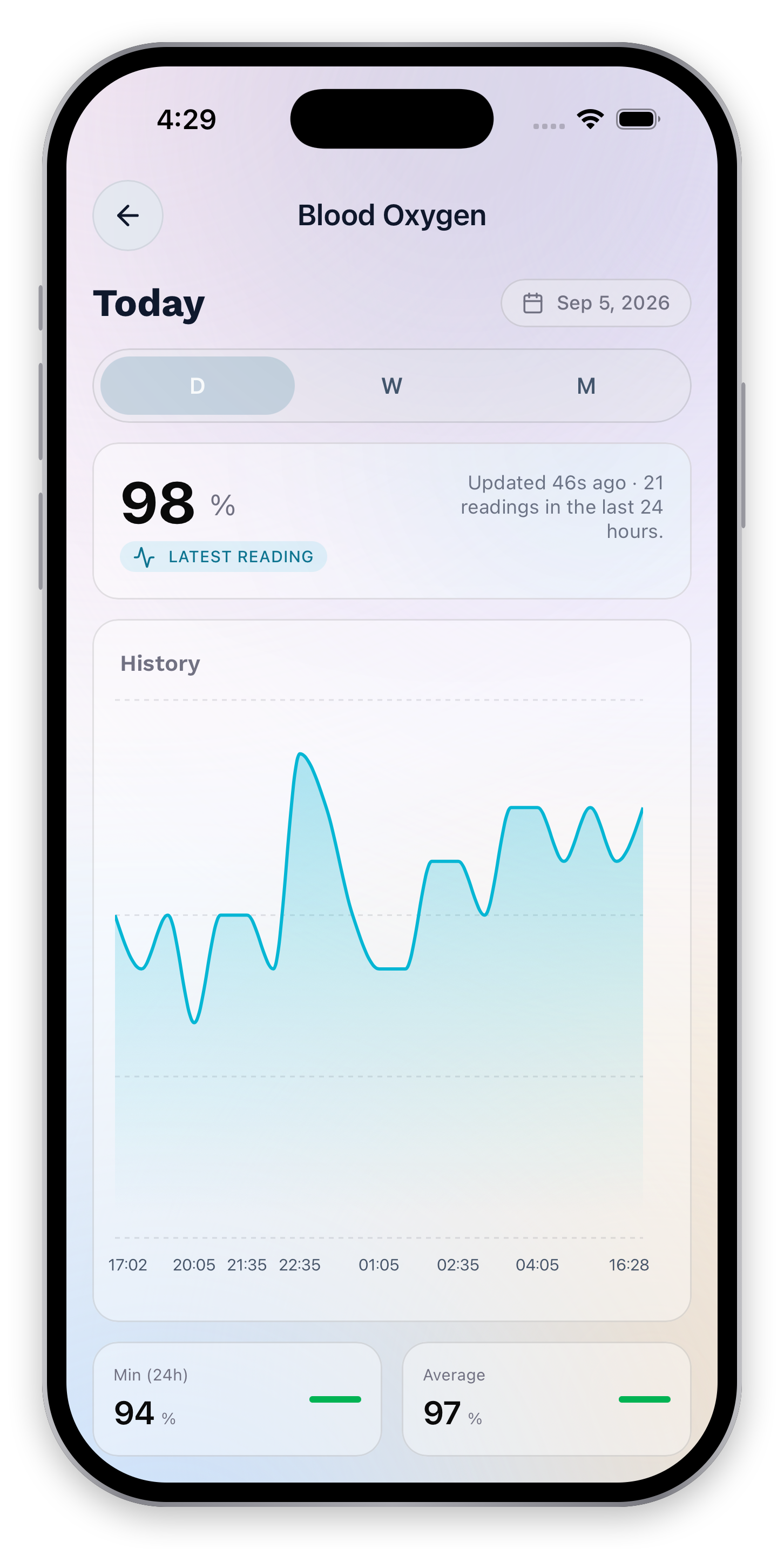
See the latest oxygen percentage alongside its freshness, history, minimum, and average. Day, week, and month views give the reading context.
Small steps.
A fuller picture.
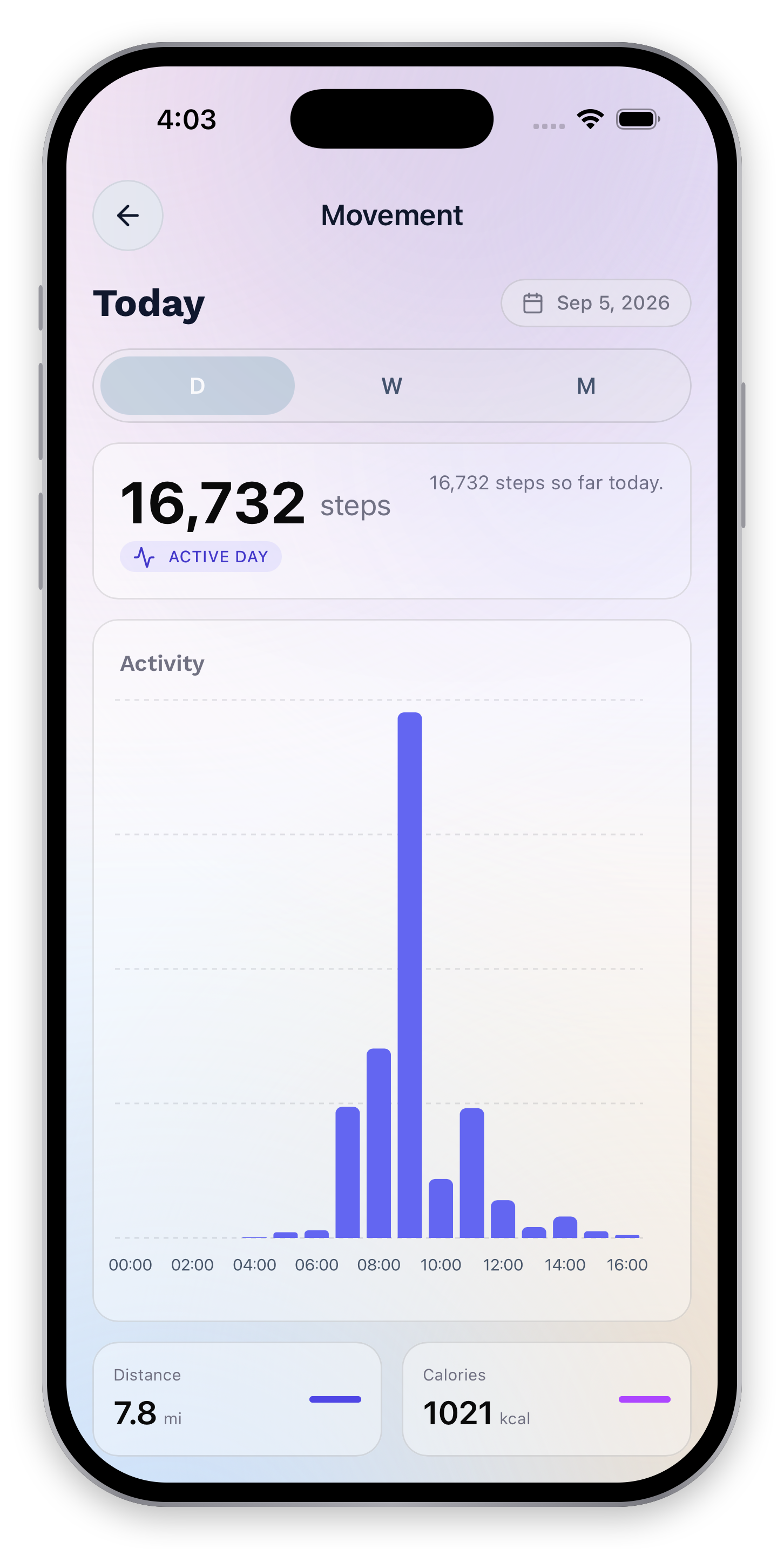
Steps, activity through the day, distance, and calories bring everyday movement into view.
A change deserves
a closer look.
A reading is only part of the story. Check its timing, understand the pattern, and review the context before deciding what to do next.
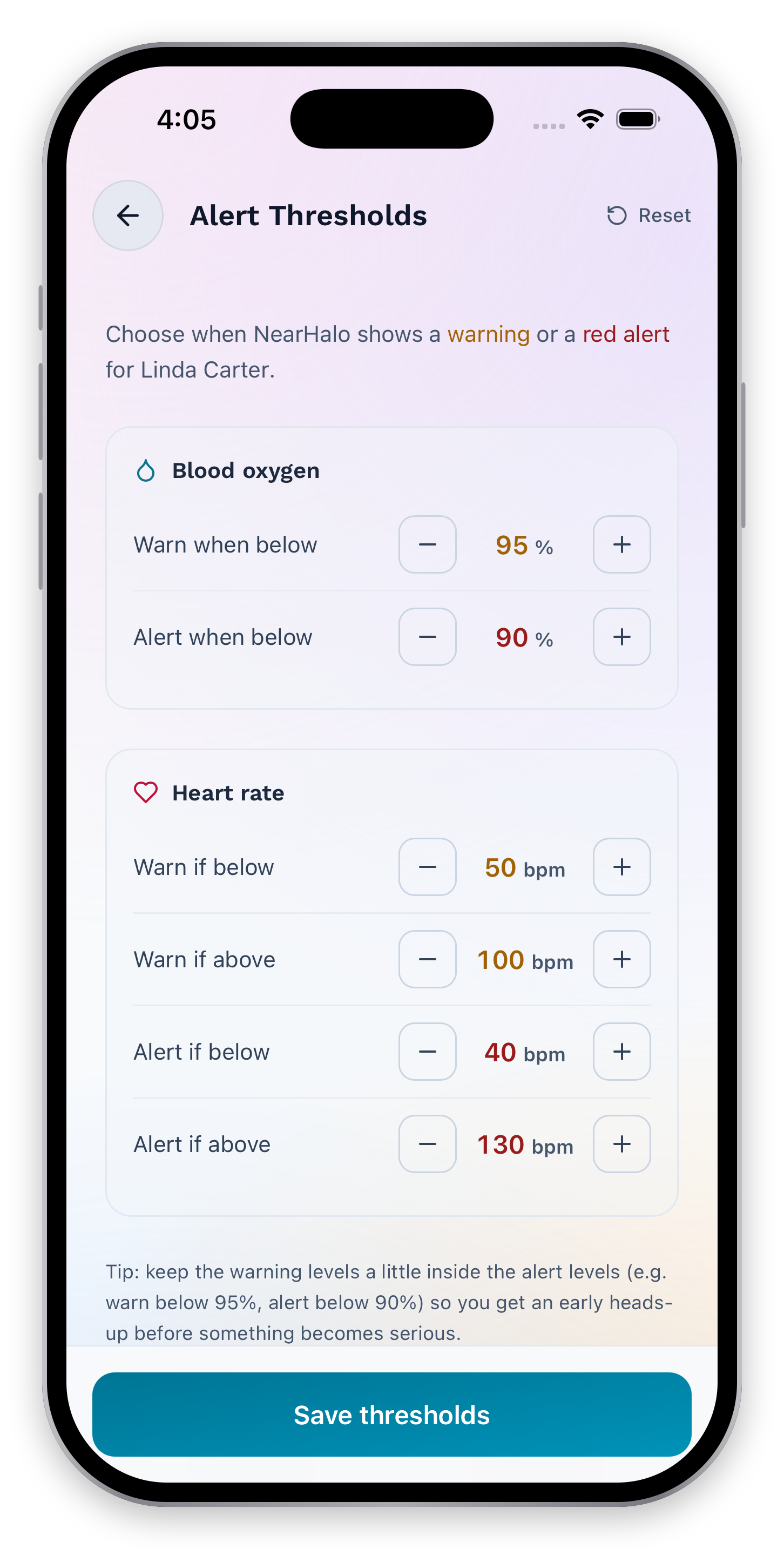
A heads-up.
Then a clear alert.
Separate warning and red-alert thresholds for heart rate and blood oxygen. Adjust the values in one place.
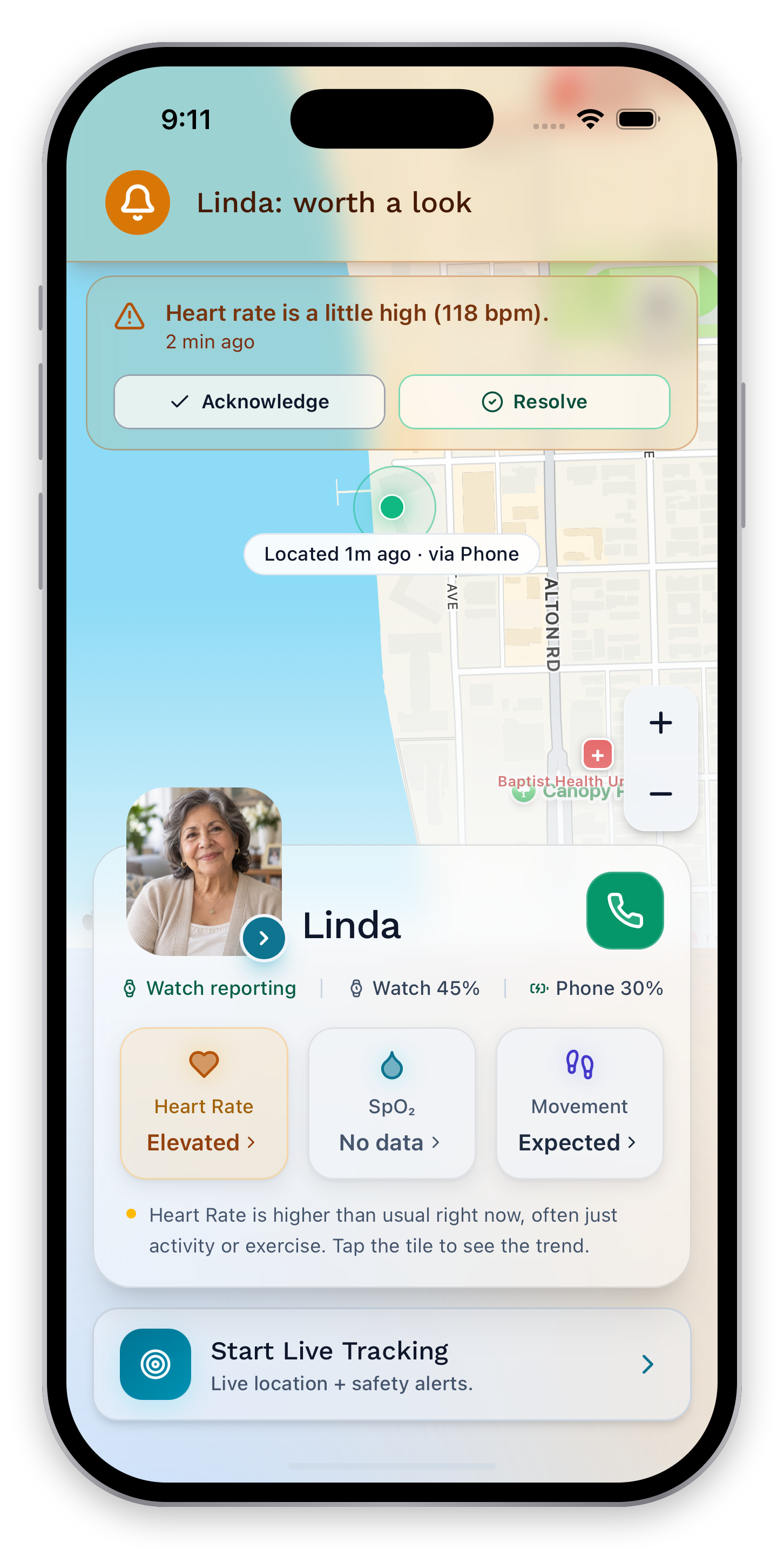
A change that’s
worth a look.
Amber brings a warning forward with its reading and timestamp. Acknowledge it or record a resolution.
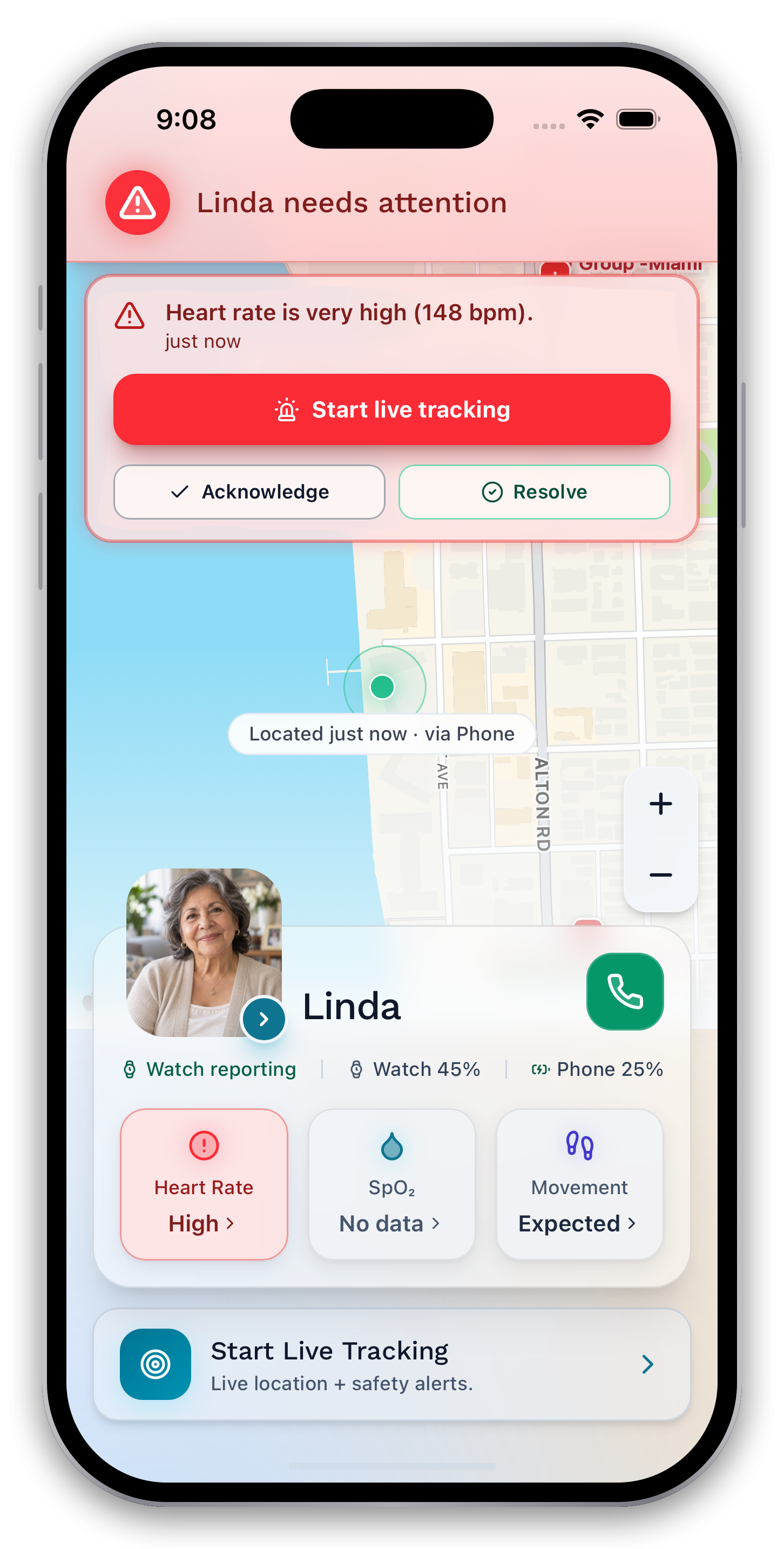
When a reading
needs attention.
A red alert brings the changed heart-rate context to the front of the dashboard.
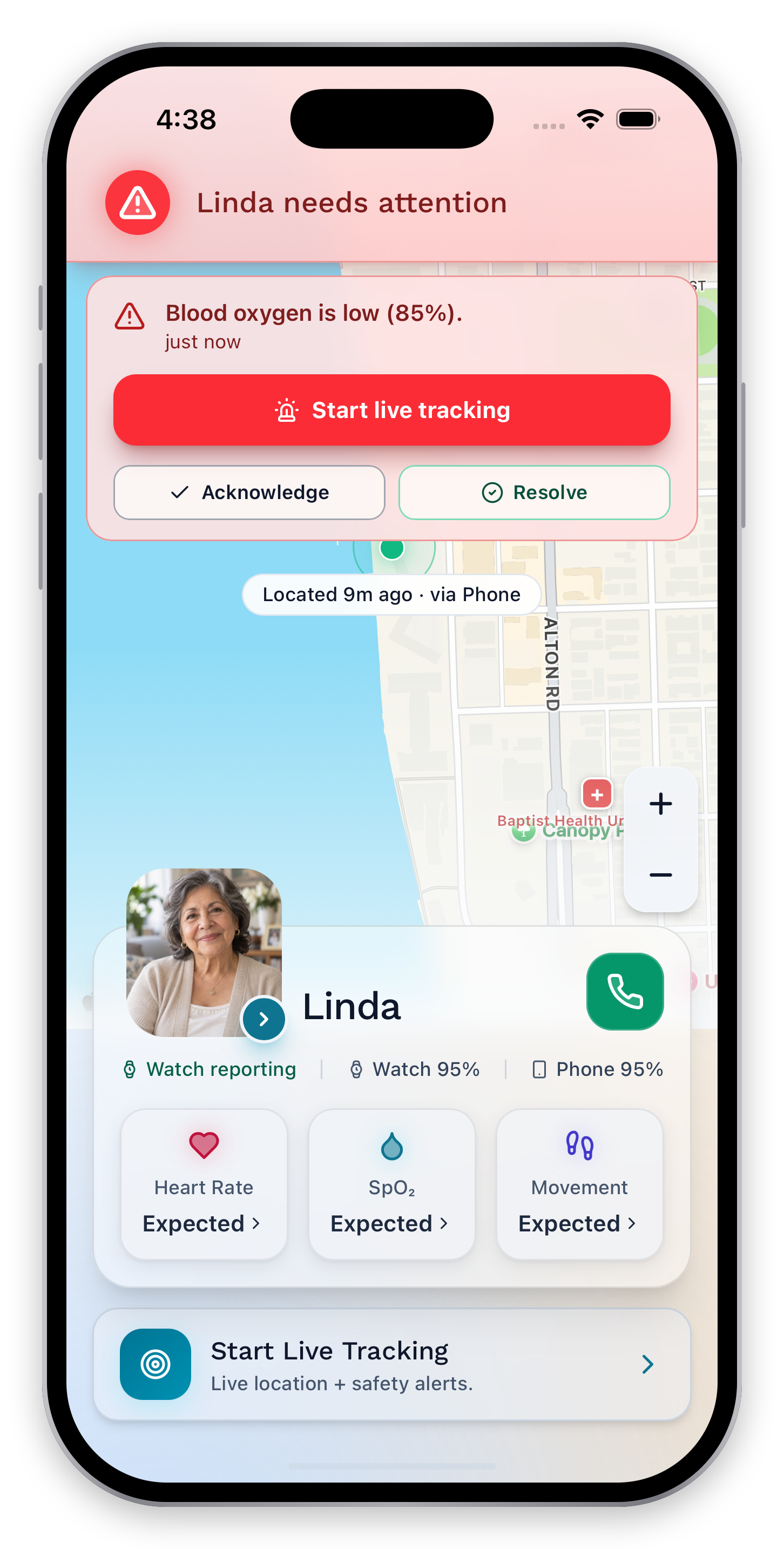
The signal.
The next step.
The alert explains what changed and makes the available actions clear: start live tracking, acknowledge, or resolve.
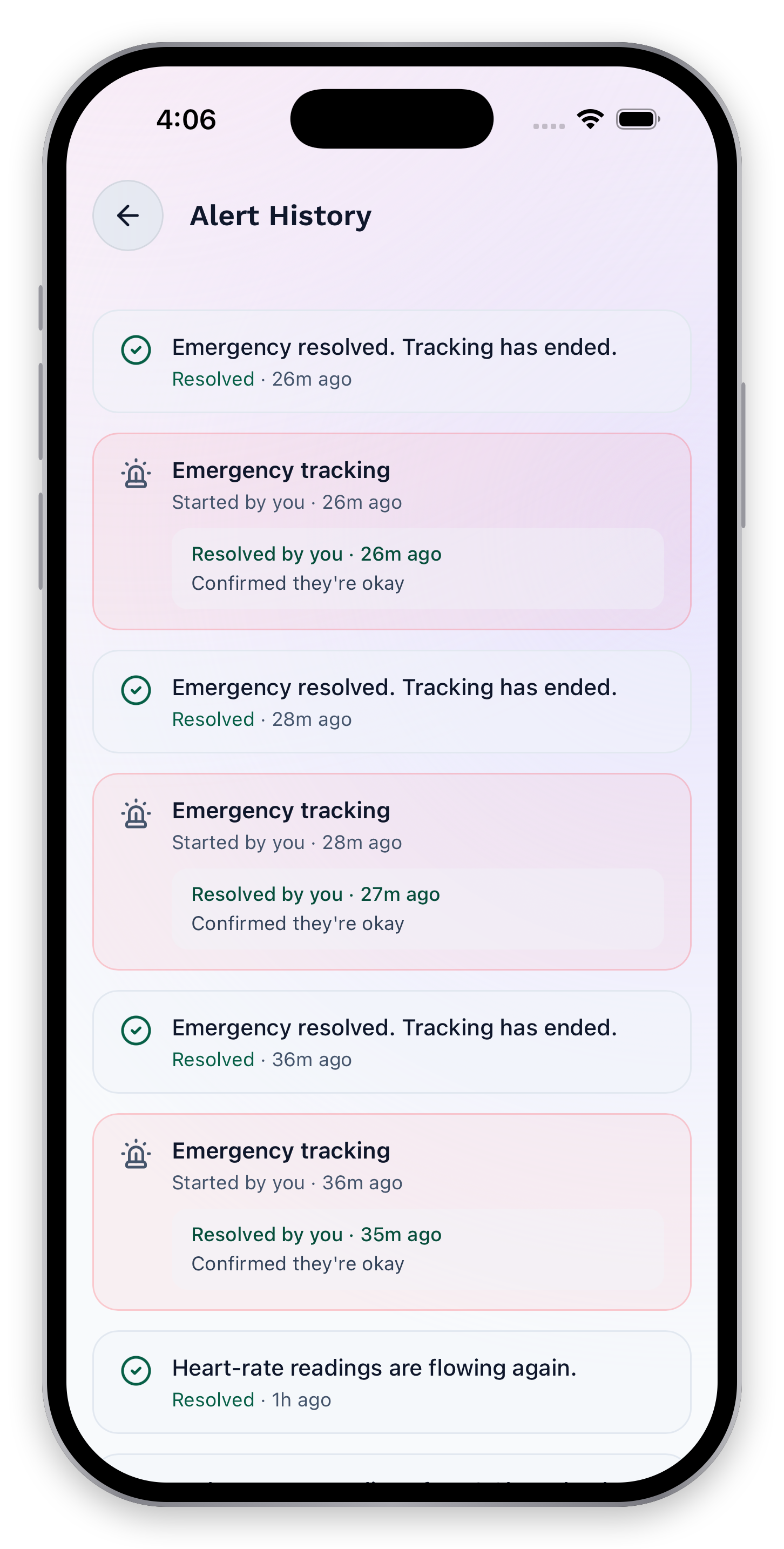
A shared memory
of what happened.
Review alerts and their outcomes, so the care team can follow the response after the moment passes.
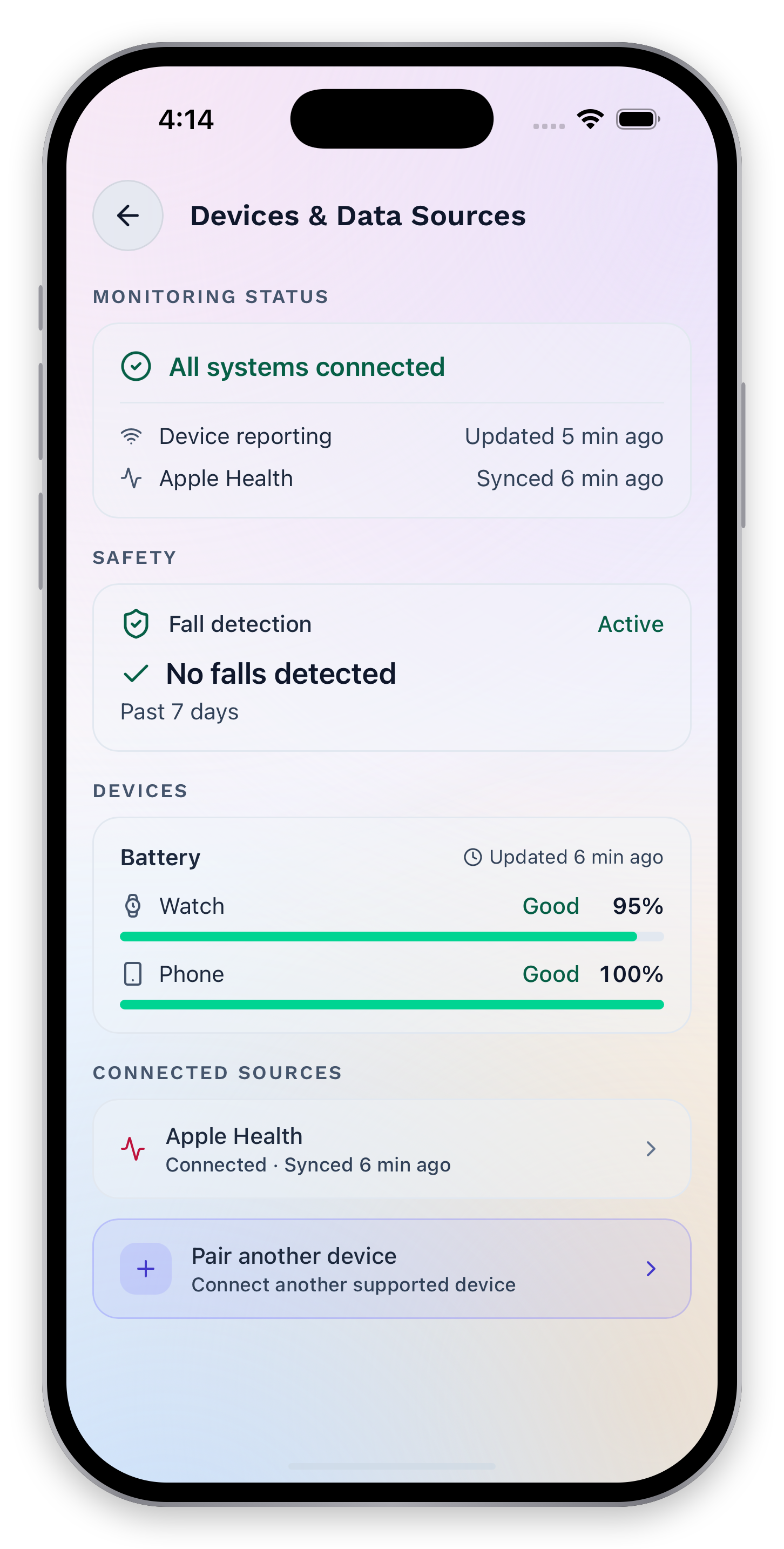
Fall detection.
A clearer picture.
See whether fall detection is active and review the past seven days of fall history, with connected-device status close at hand.
Requires supported devices and available data. Not every fall will be detected.
Good care is
a shared understanding.
The person, the place, and the people who can help. Bring the context together so your family can decide on a next step.
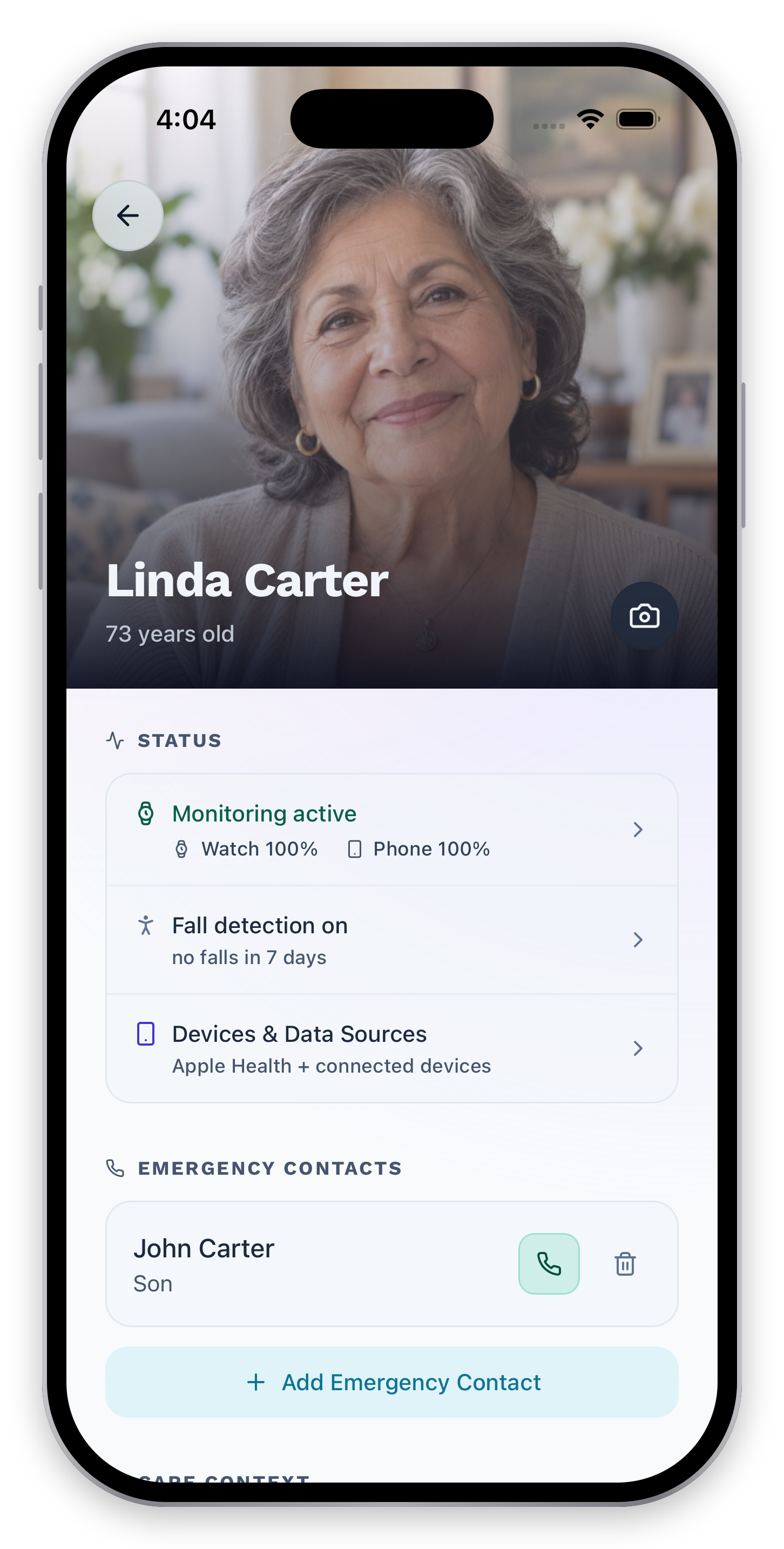
A person.
Not just a dashboard.
Linda’s profile brings connected-device status, fall detection, and emergency contacts together, with the context her care team needs.
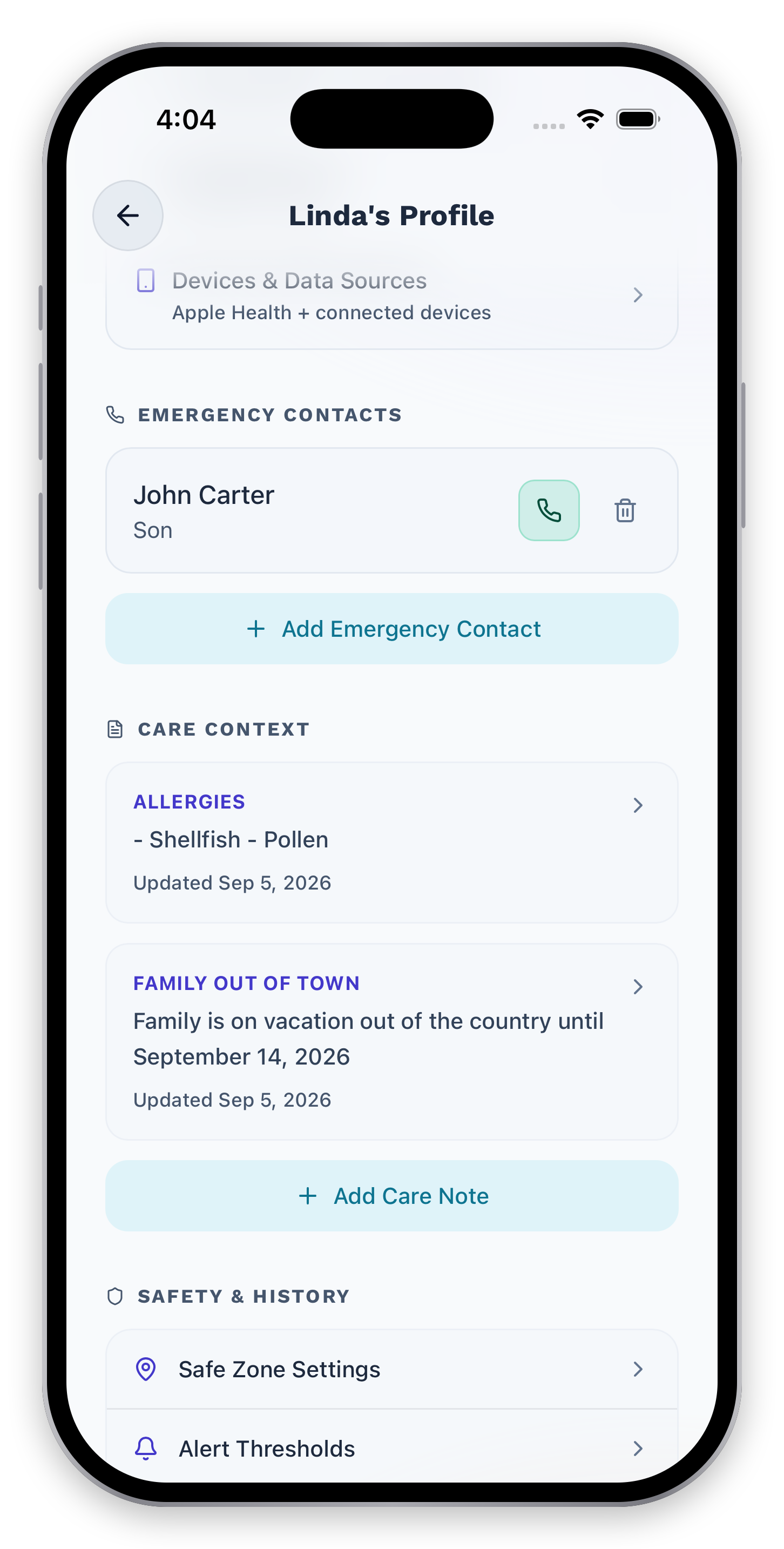
The details
worth remembering.
Keep care notes with the person they belong to. Shared context helps the next caregiver pick up where you left off.
Everything has
its place.
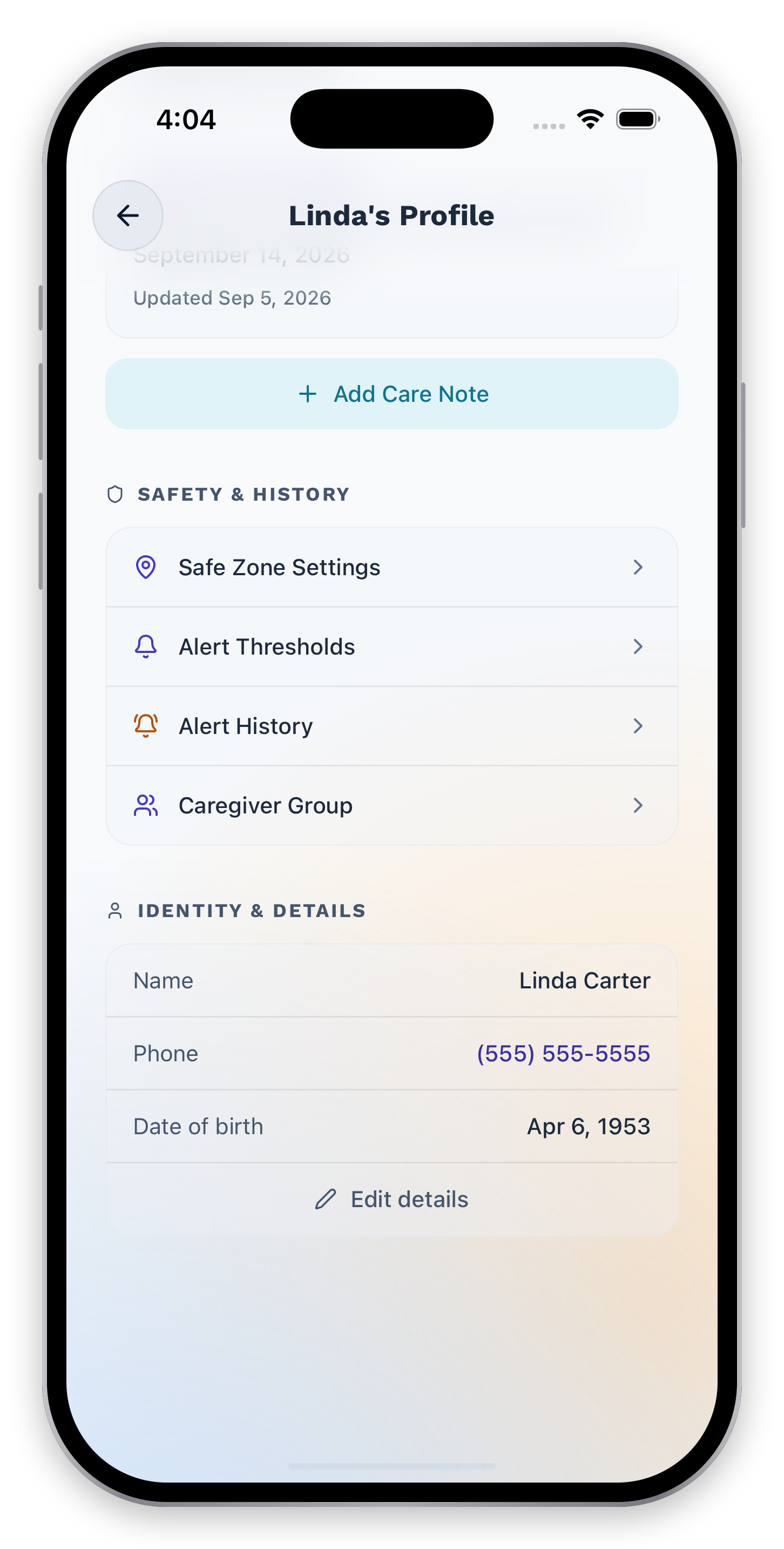
Safe zones, thresholds, alert history, and the caregiver group are all within reach from the profile.
Familiar places.
Clear boundaries.
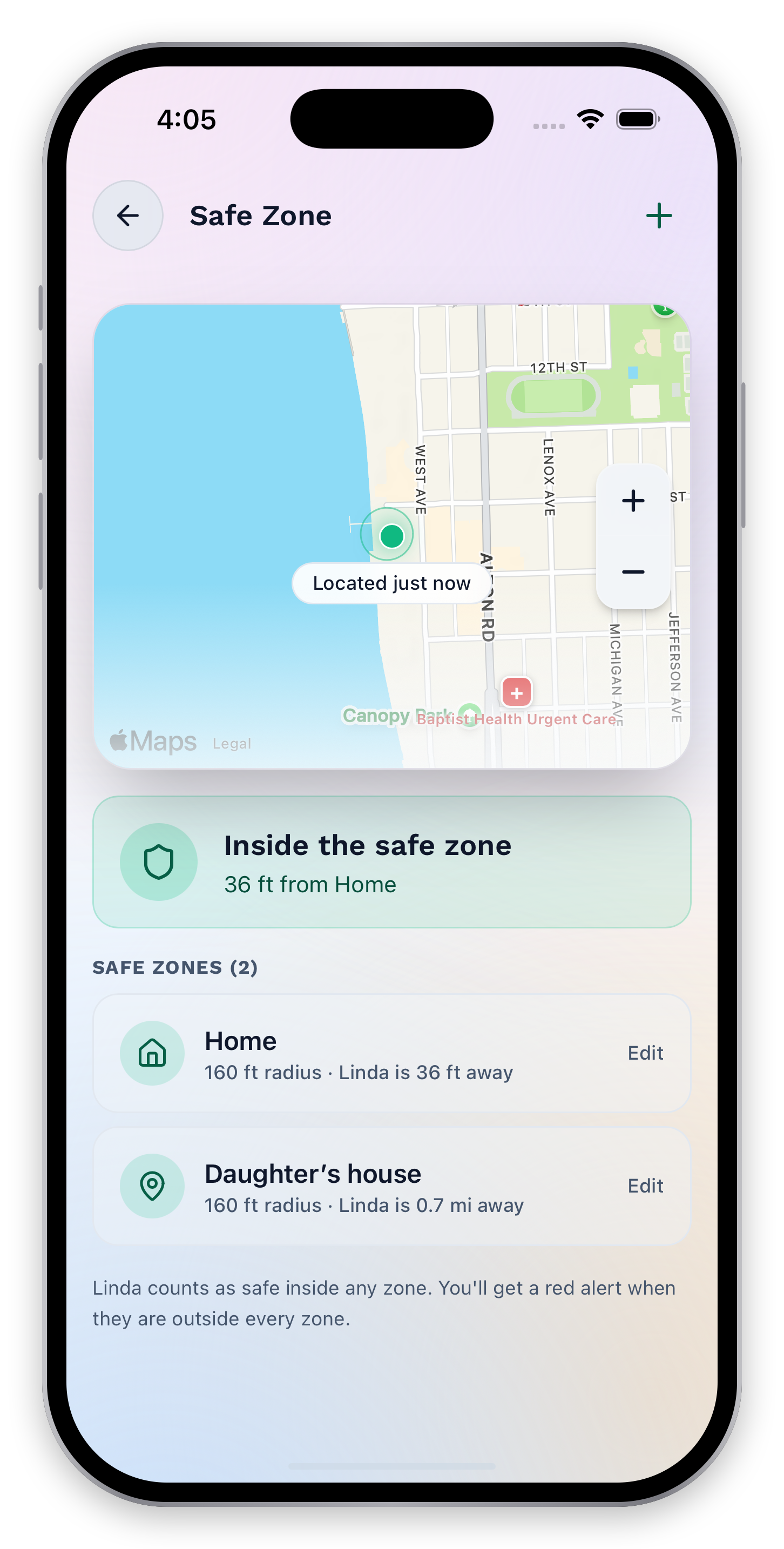
Define the places that matter and see the latest available location alongside safe-zone context.
When they step
beyond the zone.
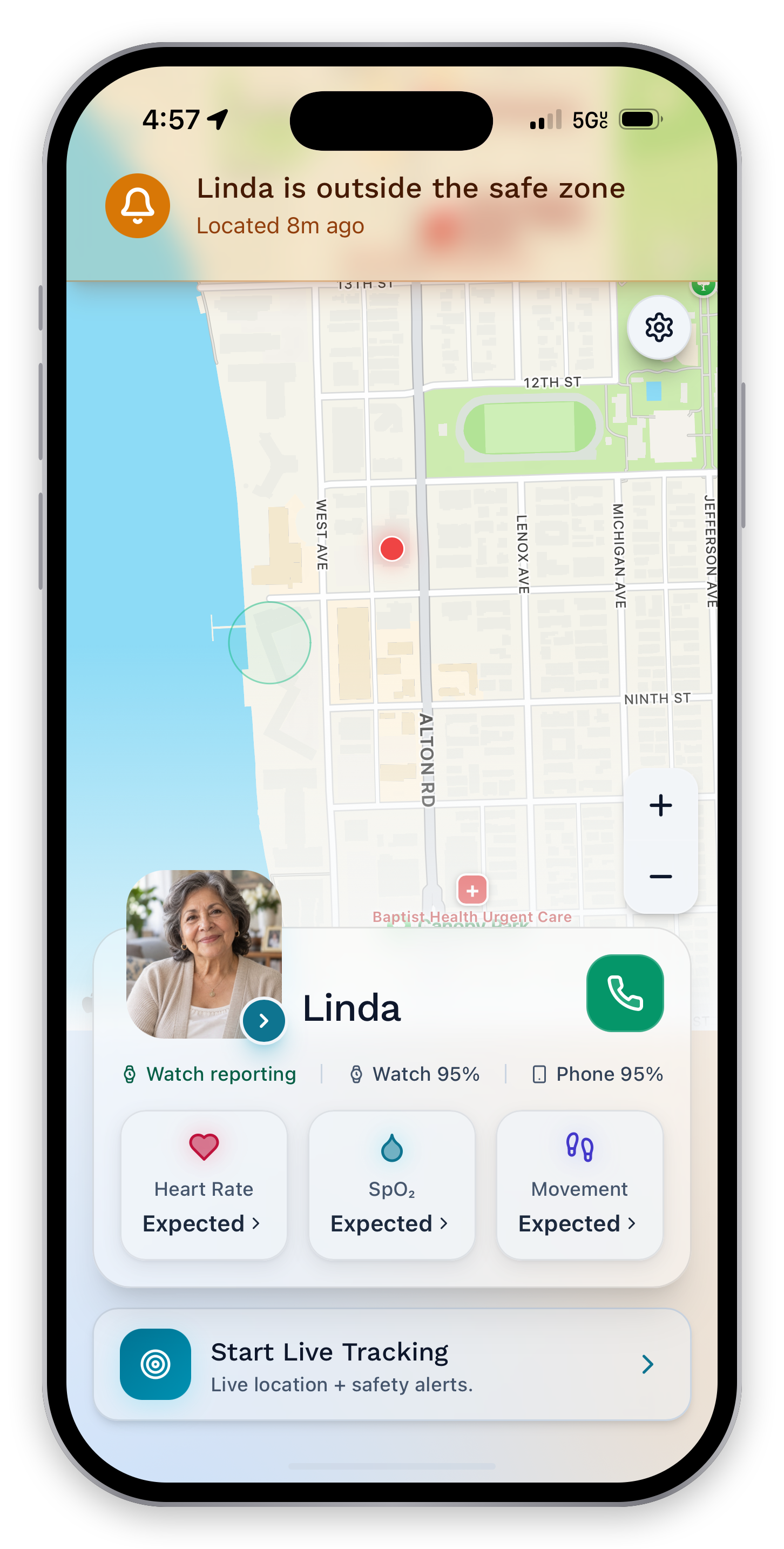
A change in location gets its own clear status, helping the care team understand what needs a closer look.
Know what happens
when tracking starts.
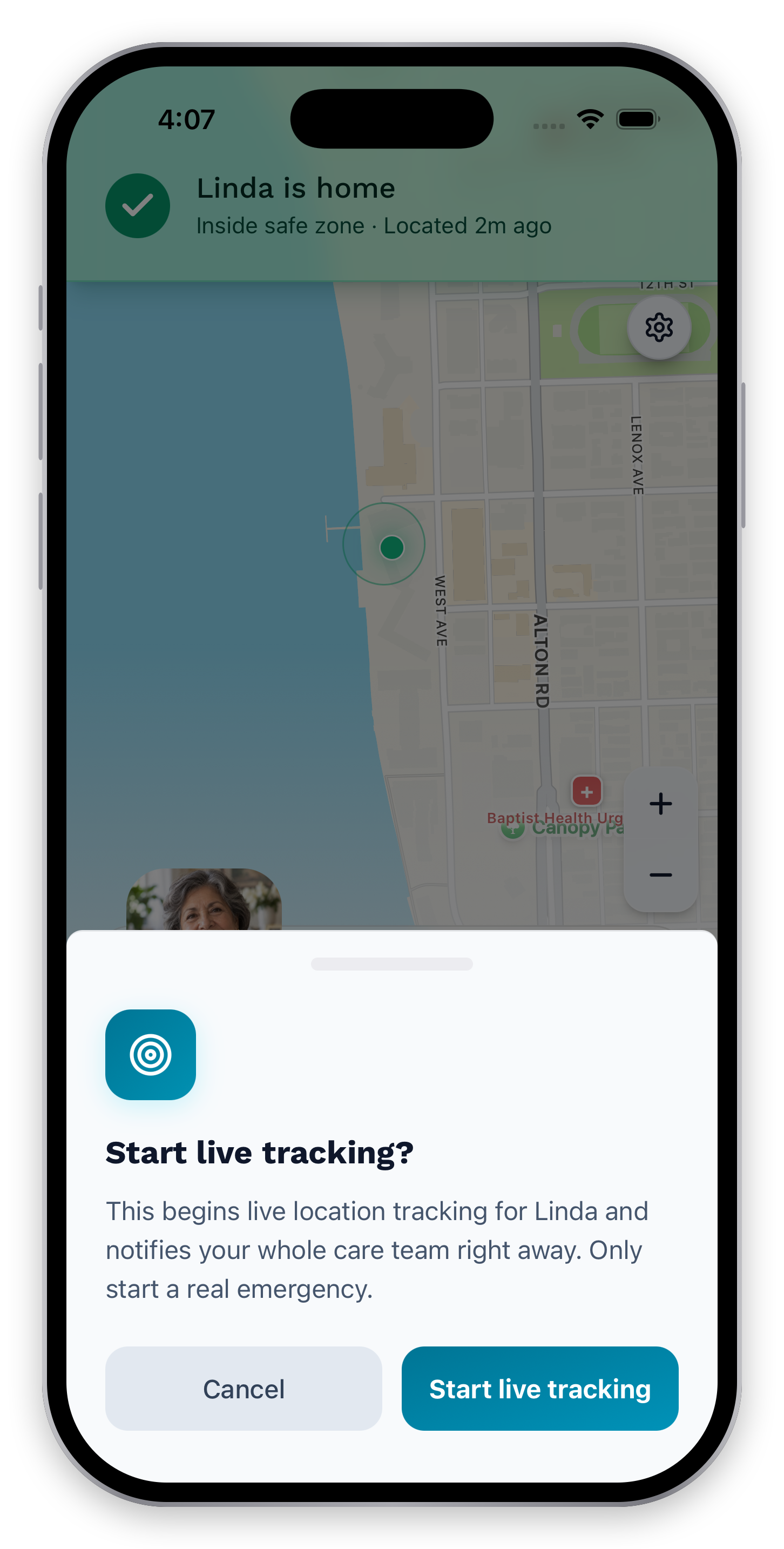
The confirmation brings the next action into focus before you begin a live tracking session.
Follow the moment
as it unfolds.
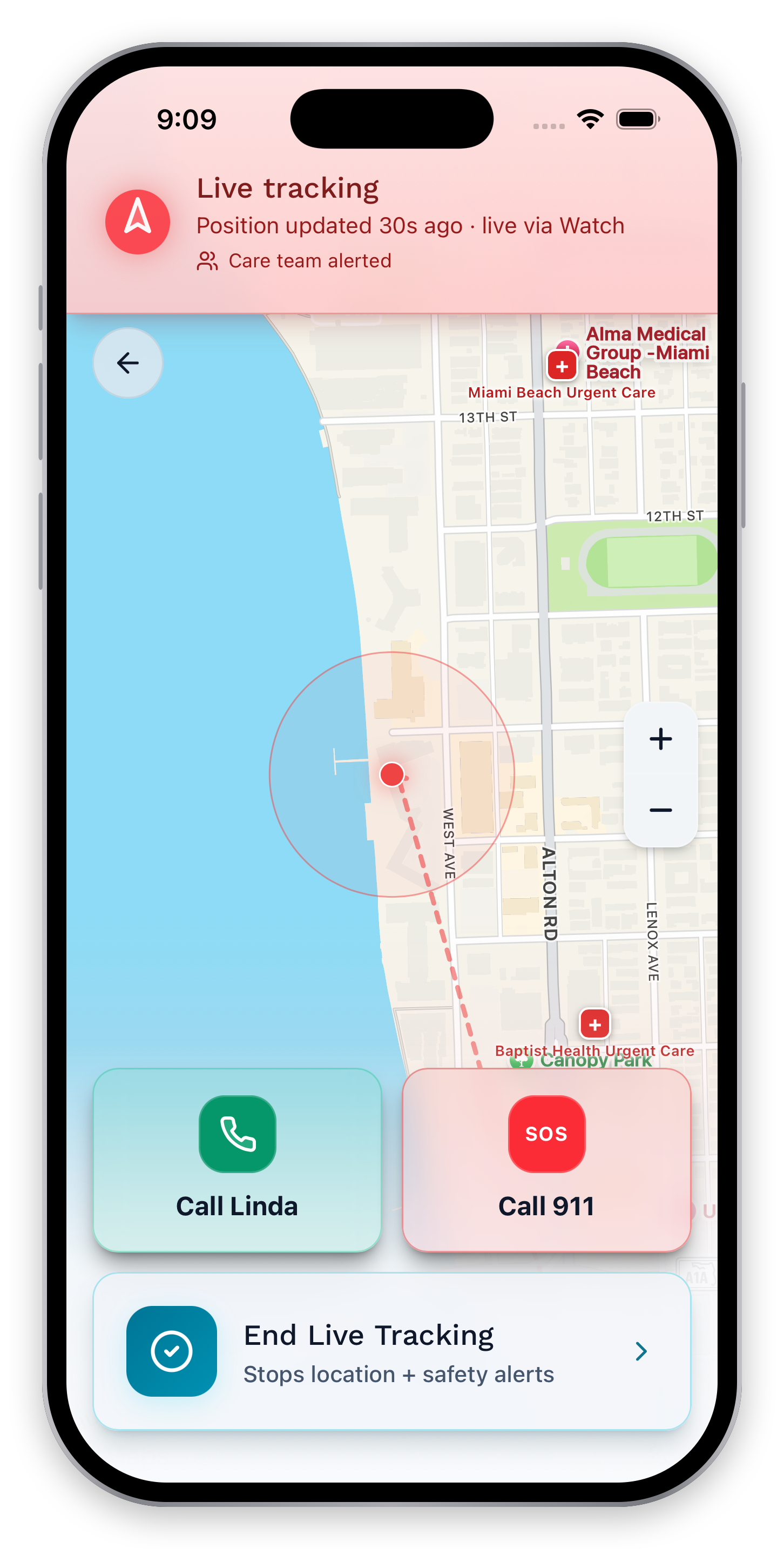
Follow the latest location and trail, check when it updated, and see who was alerted. Call Linda or end the session right from the map.
Close the loop.
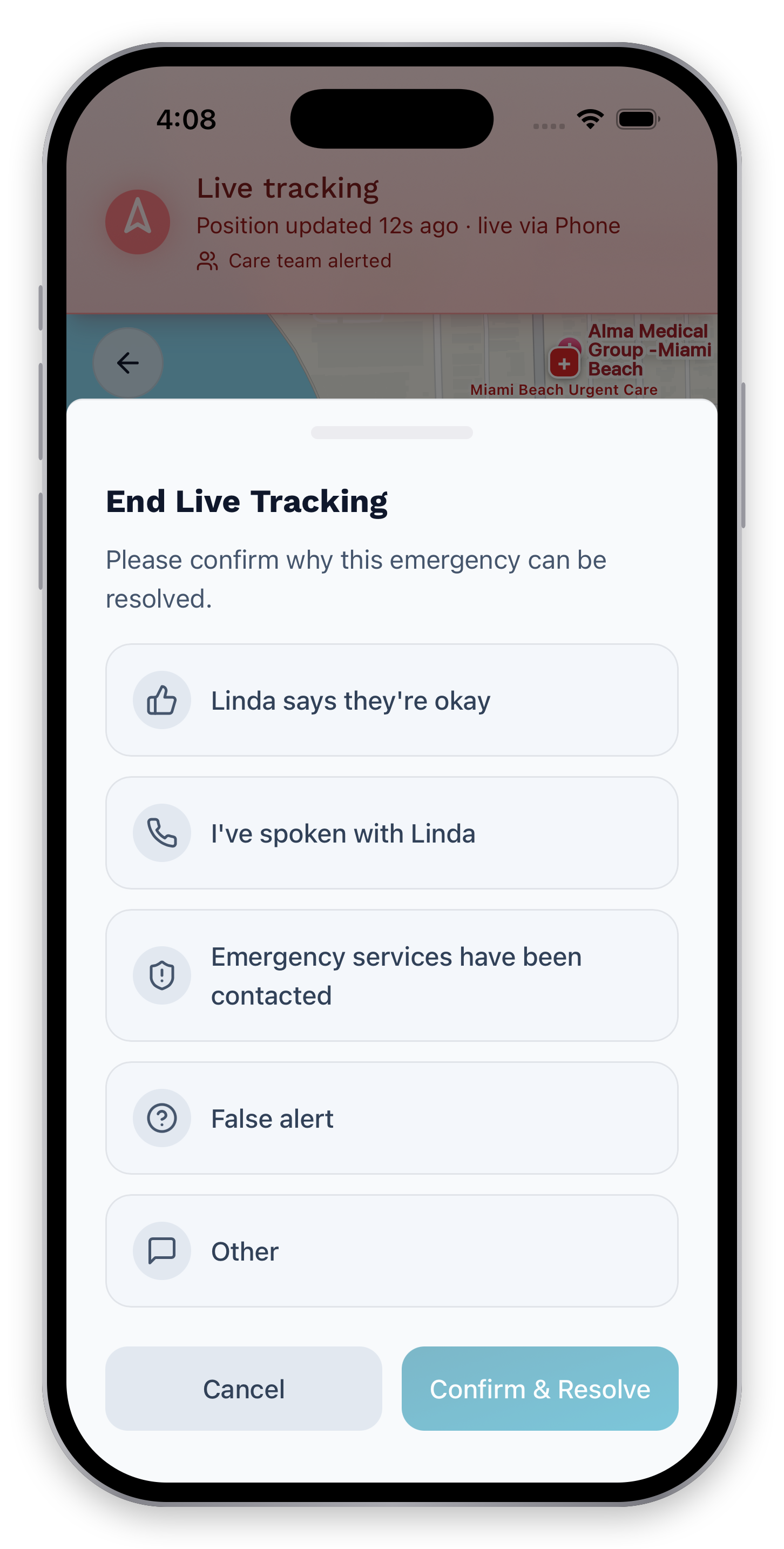
End the tracking session and record the outcome, so the response has a clear ending.
Care feels better
when it’s shared.
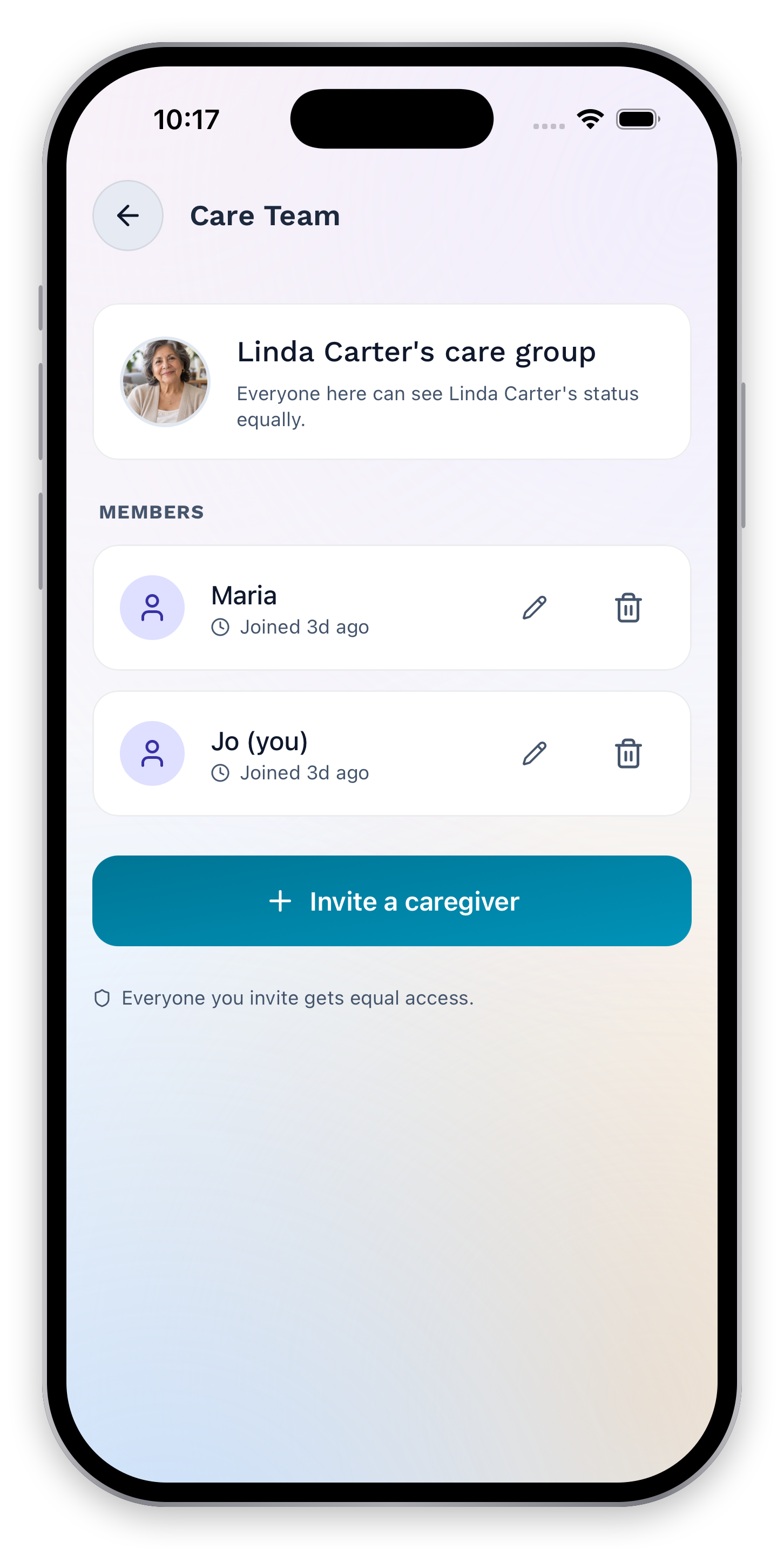
See the people connected to Linda’s care and manage invitations from the caregiver group. Bring everyone into one shared view.
NearHalo is not a medical device or emergency service.
Keep your independence.
Keep your connection.
Now, the care-recipient app: a simpler view for the person receiving care. Choose when to share and reach your caregiver from your phone or Apple Watch.
Your day.
Your connection.
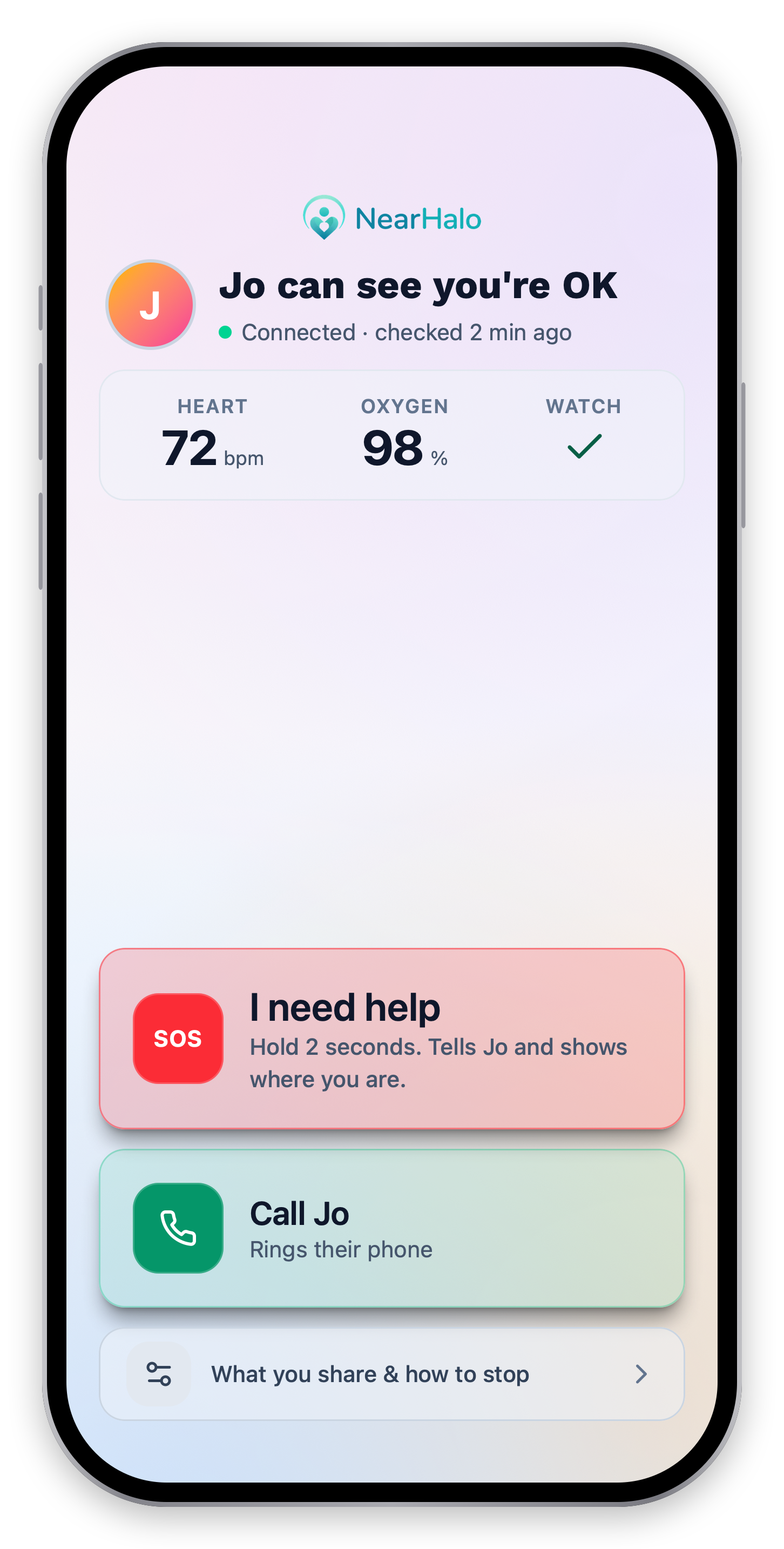
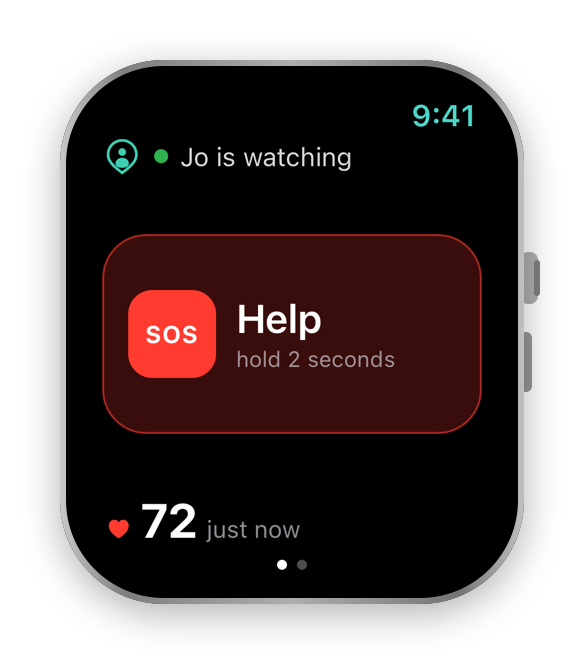
Your phone brings your caregiver connection, available wellness readings, and calling together. Your Watch keeps your connection, heart rate, and help control at your wrist.
A little privacy.
On your terms.
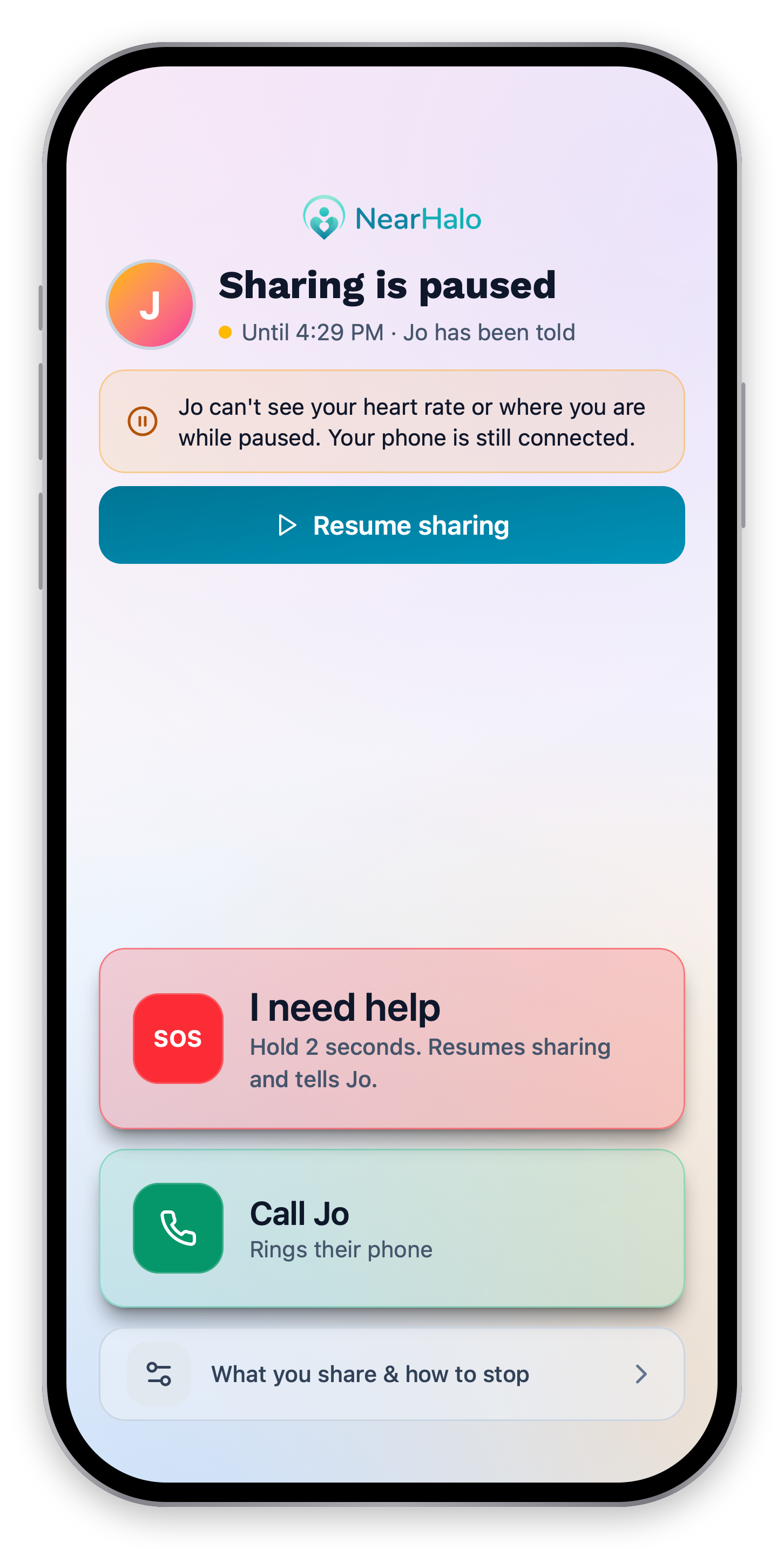
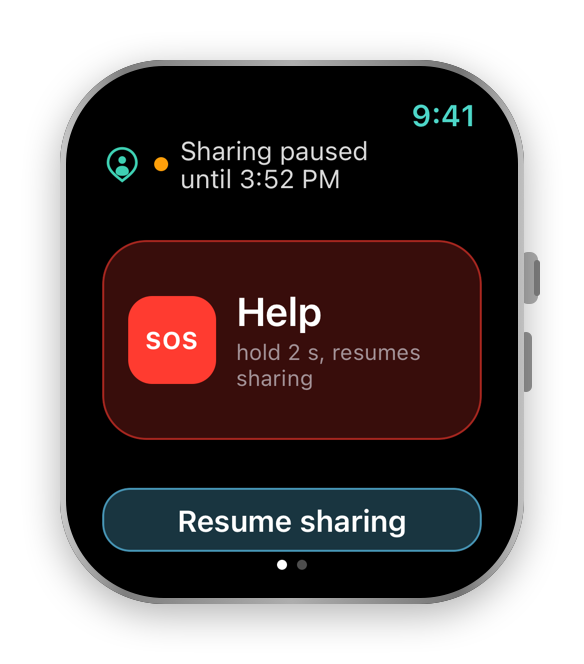
See when sharing is paused on your phone and Watch. Resume when you’re ready. If you need help while paused, sending a request resumes sharing.
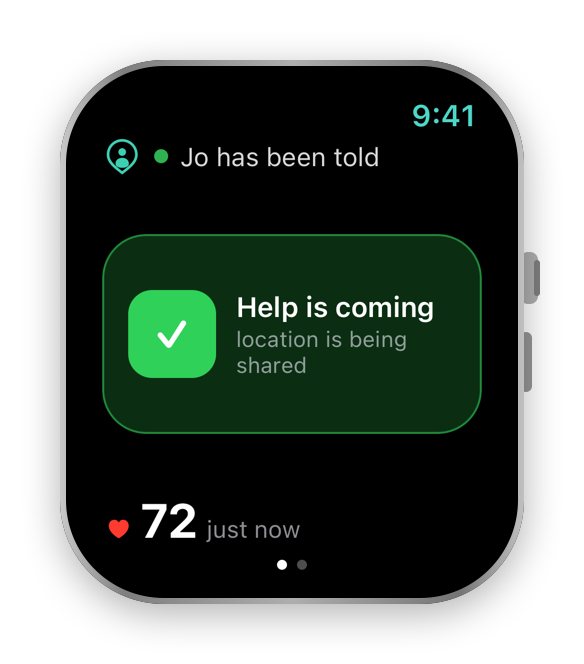
Ask for help.
From either device.
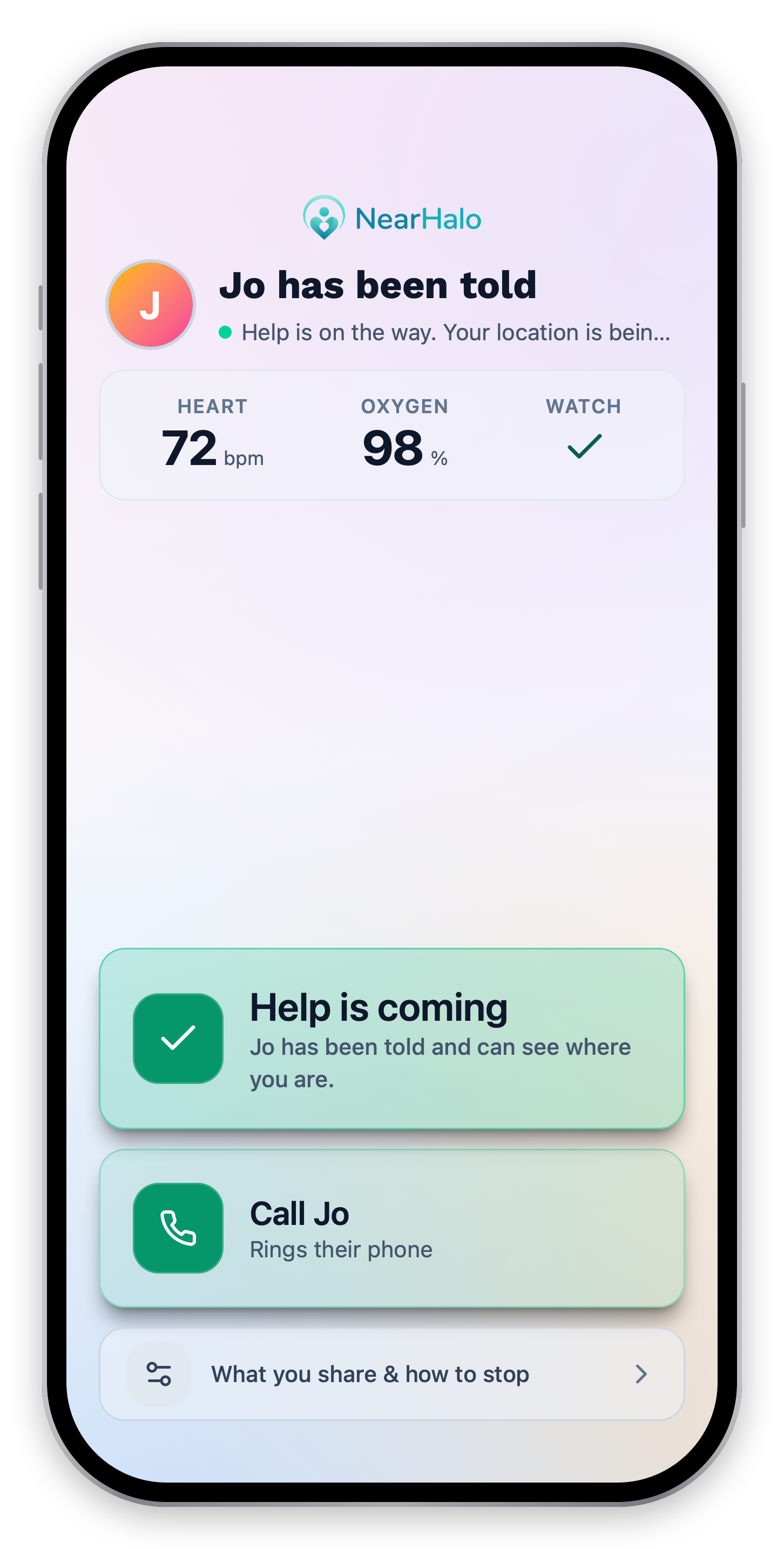
Hold the help control for two seconds on your phone or Watch. The confirmation shows your caregiver has been notified and your location is being shared.
This notifies your caregiver, not emergency services. Delivery does not guarantee that someone has seen the request or is on the way.
Illustrated example · not live app data
A deliberate two-second hold starts the request.
The request goes to the person chosen to help.
One request.
Both sides of care.
Follow an example from the recipient’s help control to the caregiver’s next step.
A notification is not a guarantee of acknowledgment or response. NearHalo does not dispatch emergency services.
“I wanted him to keep his independence. I also wanted our family to know when he might need us.”
Joseph Pagan
Founder of NearHalo
It started
with my dad.
After my father suffered a stroke while living alone, I wanted a way for our family to stay connected without taking away his independence. That is why I built NearHalo.
Read our storyA closer connection.
Your choice to share.
More connection.
More independence.
Bring NearHalo into the everyday moments of caring for someone you love.
For family caregiving and general wellness. Not a medical device or emergency service.