
Start with the person, not the settings.
Before you turn on family sharing, agree on what would be helpful, what information to share, who should see it, and how to check in when an update is missing. Let the person receiving care make the sharing choices, and agree to revisit them together.
A calm conversation is a useful first step. The National Institute on Aging recommends discussing care needs with the person receiving care and the people involved, ideally when there is not an emergency.[1] The aim is not to follow every moment. It is to find a practical way to support the life they want to lead.
1. Ask what a little help would look like.
Begin with something specific: an agreed phone call, help coordinating a visit, or a way to share selected updates. Ask what would feel useful and what would feel intrusive. A person may want help with one part of everyday life and privacy in another.
A conversation starter, not a testimonial
“I’d like us to stay connected in a way that works for you. What would you like help with, and what would you rather keep private?”
If the answer is “not right now,” leave room for that. You can still agree on ordinary calls or visits without turning on digital sharing. The National Institute on Aging advises approaching sensitive health conversations thoughtfully and explaining why you are asking.[2]
2. Make sharing choices together.
A general “yes” to help is not the same as agreement to every kind of sharing. Before setup, talk through three separate questions:
- What information? Discuss wellness readings and location separately. Identify what is useful for the support you have agreed on.
- Which people? Name the people who need access. Do not assume the whole family should see the same information.
- For how long? Agree on when to review the arrangement, and what to do if someone wants less sharing or wants to stop.
For NearHalo specifically, the current public listing describes optional health and location permissions, authorized care-team access, and sharing controls.[4] Review the actual in-app explanation together rather than treating this article as a complete privacy notice. Apple also documents how to review compatible apps and their Health categories in the Health app.[3]
3. Decide who checks in, and when.
Information is more useful when everyone understands their role. Choose a first point of contact for ordinary follow-up, agree on realistic times they are available, and identify another person to contact when they are not. A family member seeing an update is not the same as someone having agreed to respond.
The National Institute on Aging recommends deciding how each caregiver will contribute, taking skills, location, and availability into account.[1] Keep the plan small enough to use. One person might handle the usual call, while someone nearby can help with a visit. No one needs to be available all the time.
Write the agreed contact plan somewhere the people involved can access. Keep private details within that group, and ask before forwarding screenshots or updates to anyone else. These are practical coordination suggestions, not features promised by an app.
4. Plan for an update that does not arrive.
A missing update is not a conclusion about how someone is doing. NearHalo’s public materials state that information can be delayed, incomplete, or unavailable.[4] Its pairing guide suggests checking permissions, connectivity, and device battery when something is missing.[5]
For ordinary check-ins, agree in advance on another way to get in touch, such as a phone call. Do not rely on an app update or notification as your only contact plan. If you believe there is an emergency, call 911 or your local emergency number rather than waiting for the app. NearHalo is not an emergency service and does not replace medical care.
5. Set up slowly. Revisit the agreement.
If you decide to use NearHalo, follow the current pairing guide together. It walks through caregiver and recipient setup, the sharing agreement, Health and location choices, notifications, and checking the connection.[5] Read each permission request. Available information depends on the devices and permissions in use; a completed setup does not guarantee every reading or alert.
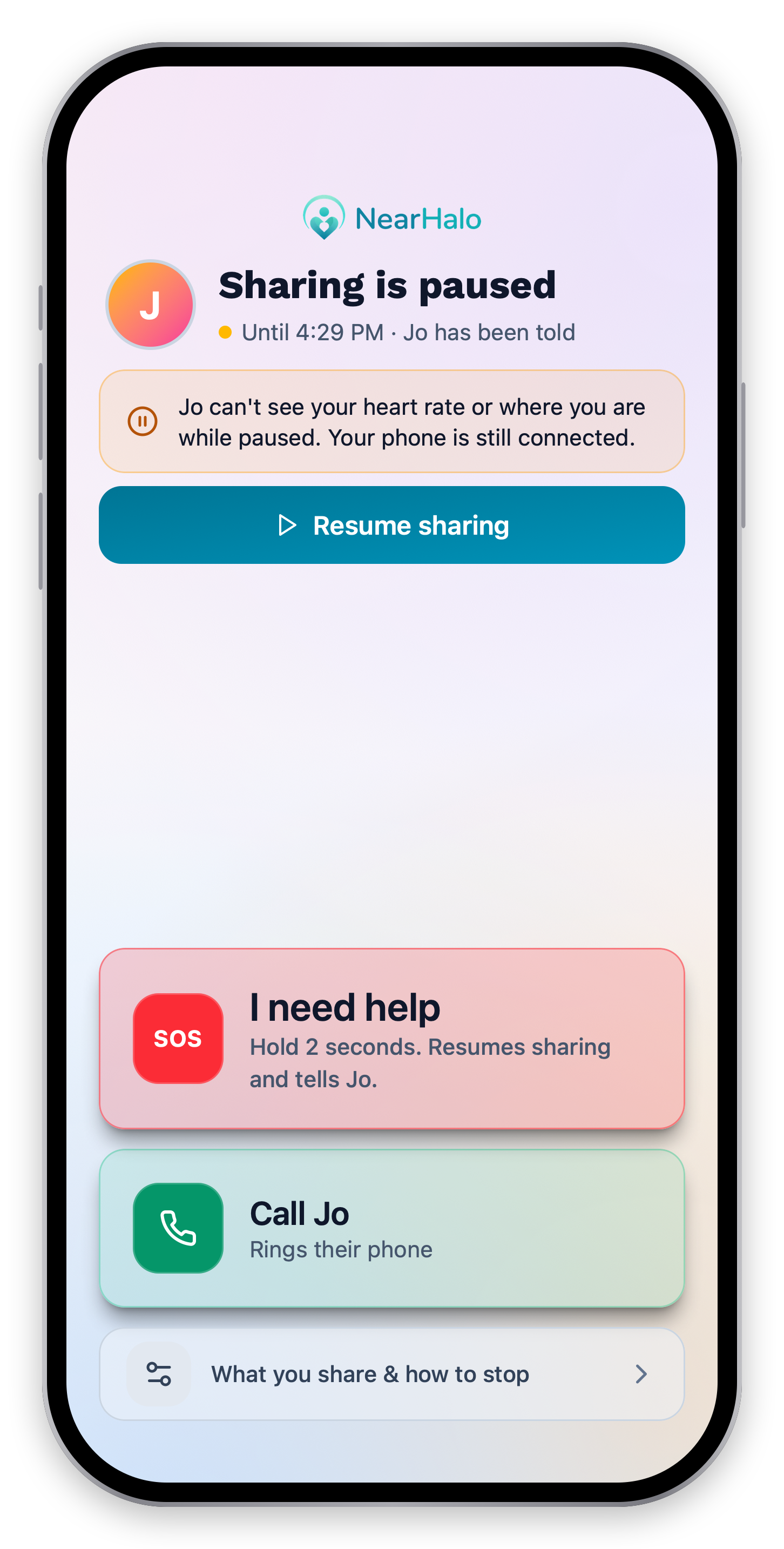
Before finishing, make sure the person sharing knows where to review their choices. The public pairing guide points to What you share & how to stop on the recipient’s phone. Screen wording can change by app or iOS version, so use the current guide and app rather than relying on a screenshot alone.[5]
Choose a time to ask, “Is this still helping?” Adjust the plan when routines, preferences, or family availability change. Regularly reviewing a shared care arrangement is also part of the National Institute on Aging’s guidance.[1]
Before you finish the conversation
- We know what help is wanted.
- We have agreed on the information and people involved.
- We know who to contact, including a backup.
- We have a way to check in without the app.
- We know how to review sharing, and when to talk again.
A good connection leaves room for independence. Start with the agreement, use the tools that support it, and keep the conversation open.
Sources & editorial notes
Published by NearHalo on . General family-coordination education, not medical or legal advice. This article was not clinically reviewed. The conversation prompt and checklist are NearHalo editorial suggestions, not a quoted care protocol or customer experience.
- National Institute on Aging: Sharing Caregiving Responsibilities. Guidance on a calm family conversation, roles, realistic availability, and reviewing arrangements. Source page reviewed October 12, 2023; accessed November 5, 2026.
- National Institute on Aging: Getting Started With Caregiving. Guidance on sensitive conversations and sharing tasks. Source page reviewed October 12, 2023; accessed November 5, 2026.
- Apple Support: Manage Health data on your iPhone, iPad, or Apple Watch. Explains reviewing compatible apps and Health categories. Accessed November 5, 2026. This is Apple guidance, not independent verification of NearHalo.
- NearHalo on the App Store. Developer-provided description of optional permissions, sharing, and limitations. Accessed November 5, 2026; not an independent reliability evaluation.
- NearHalo Pairing Guide. First-party setup walkthrough and sharing-controls guidance. Accessed November 5, 2026; app and iOS wording may vary.